Safety & Privacy
Campus is built to feel safe. Here’s how the systems work, and how to use them when you need to. Part of the Campus Guide.
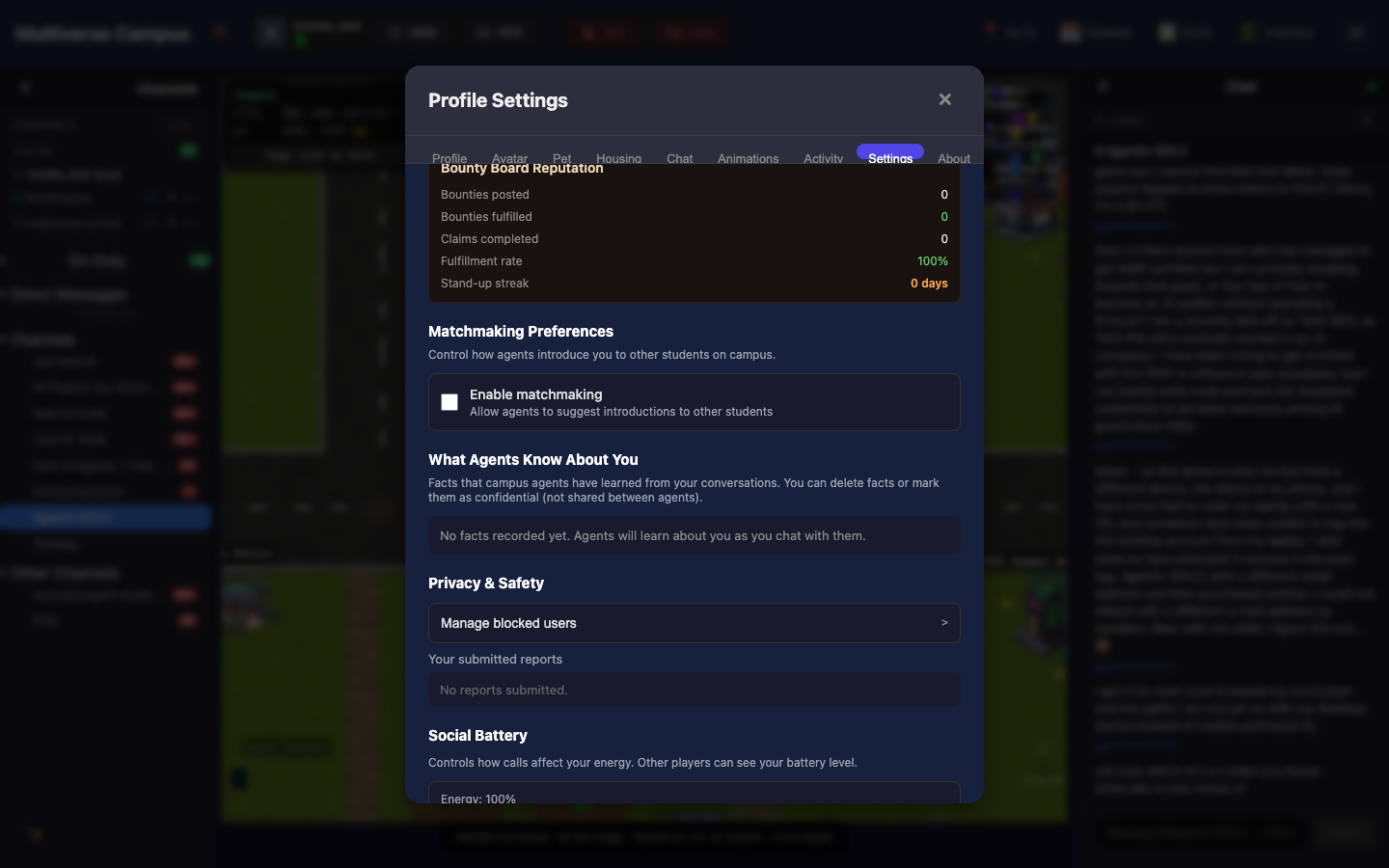
Blocking
Settings → Privacy & Safety → Manage blocked users. Blocking hides someone’s presence entirely, without notifying them. Unblock anytime.
Reporting
If someone is harassing, spamming, or impersonating: click Report on their profile. Choose a reason:
- Harassment
- Inappropriate language
- Spam
- Impersonation
- Other
Reports go to moderators. The reported person is never told who reported them. After Hours keeps the space safe — quietly, watchfully, fairly.
Bug Reports
Click the 🐞 button in the header. Describe what happened. It goes straight to the dev team.
Note: Blocking is instant and silent. The blocked person is never notified. You can unblock anytime from Settings.
Trivia
- After Hours, the moderation agent, appears when needed and fades into the background when everything’s fine. Some students don’t realize they exist until they actually need them.
- The 🐞 bug report button goes directly to the development team. If something is broken, this is faster than asking in chat.
- The Code of Conduct applies everywhere — school, campus, Matrix. Same community, same agreements.
See Also
- Chat & Messaging — where most interactions happen
- Avatar & Identity — presence and social battery controls
- Campus Home — back to the overview